Clipfeed · A Tools For News app All tools at toolsfornews.com
№02 · Reframe video for vertical

Reframe your videos — without losing the action.

Drop a clip. Pick 9:16, 1:1, or 16:9. Let Clipfeed track your subject — or set the path yourself. Everything happens on your device.

Submitted to App Store · review in progress · Android coming
Clipfeed iPhone screenshot — landscape video being reframed to 9:16 with subject tracking
All processing is local. Your video never leaves the device.
What it does

Five features. One job: get vertical clips out of horizontal footage, fast.

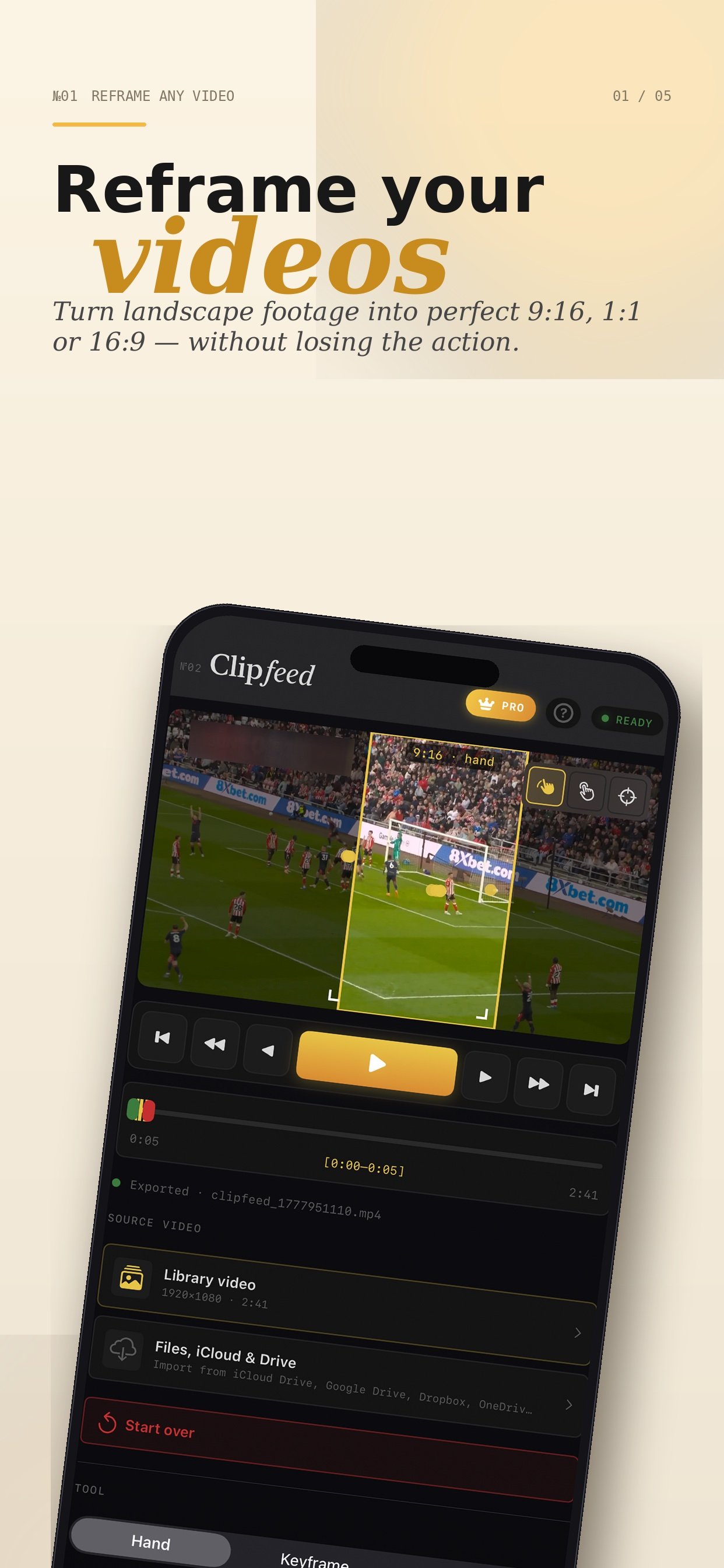
№01 · Reframe any video

Turn landscape footage into perfect 9:16, 1:1, or 16:9.

Drop in a clip recorded for the screen, the wall, or anywhere in between. Pick the output ratio you need. Clipfeed handles the crop math; you keep the action centered.

  • 9:16 · 1:1 · 16:9 outputs
  • Crop preview live on the canvas
  • No re-encoding loss
Reframe any video — landscape footage being cropped to 9:16 vertical
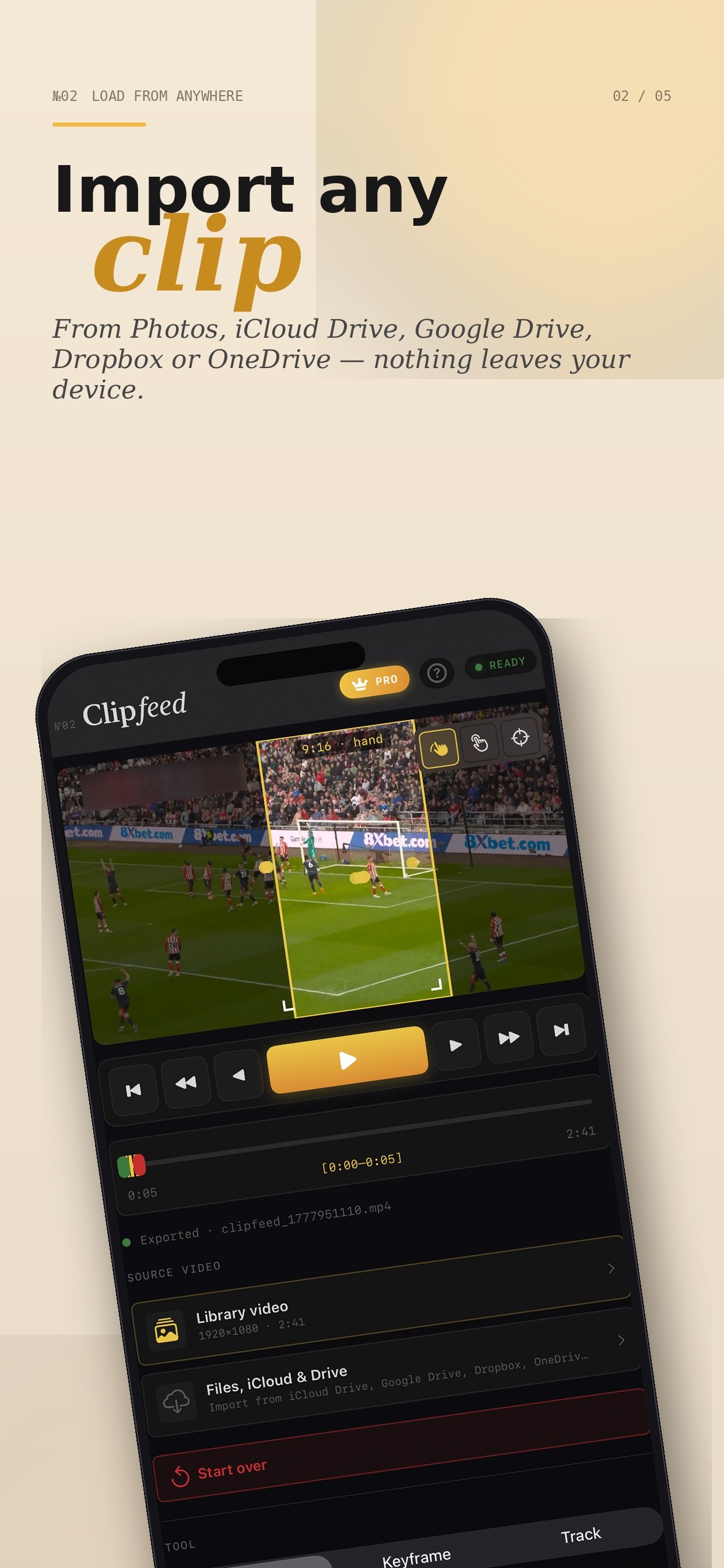
№02 · Load from anywhere

Import any clip — nothing leaves your device.

Pull from Photos, iCloud Drive, Google Drive, Dropbox, or OneDrive. Clipfeed reads the file locally; nothing uploads to anyone's server.

  • Photos library · Files app
  • iCloud · Google Drive · Dropbox · OneDrive
  • Source video stays on your device
Import any clip — Files, iCloud, Google Drive, Dropbox, OneDrive supported
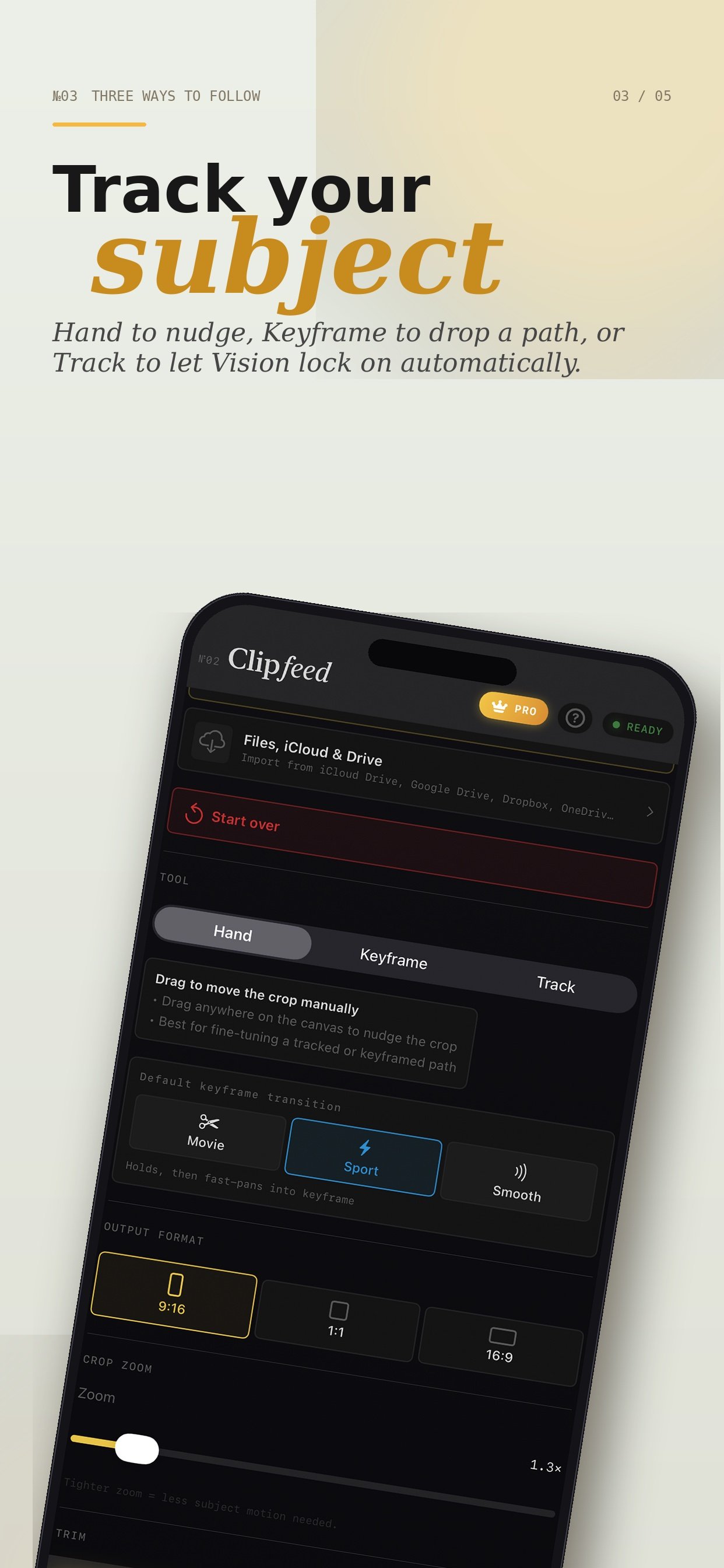
№03 · Three ways to follow

Track your subject — your way.

Three modes. Hand to nudge the crop manually. Keyframe to drop a path you control. Track to let Vision lock on automatically. Mix them per clip.

  • Hand — manual nudge
  • Keyframe — set your own path
  • Track — Vision auto-follow
  • Movie · Sport · Smooth presets
Three modes — Hand, Keyframe, and Track using Apple Vision
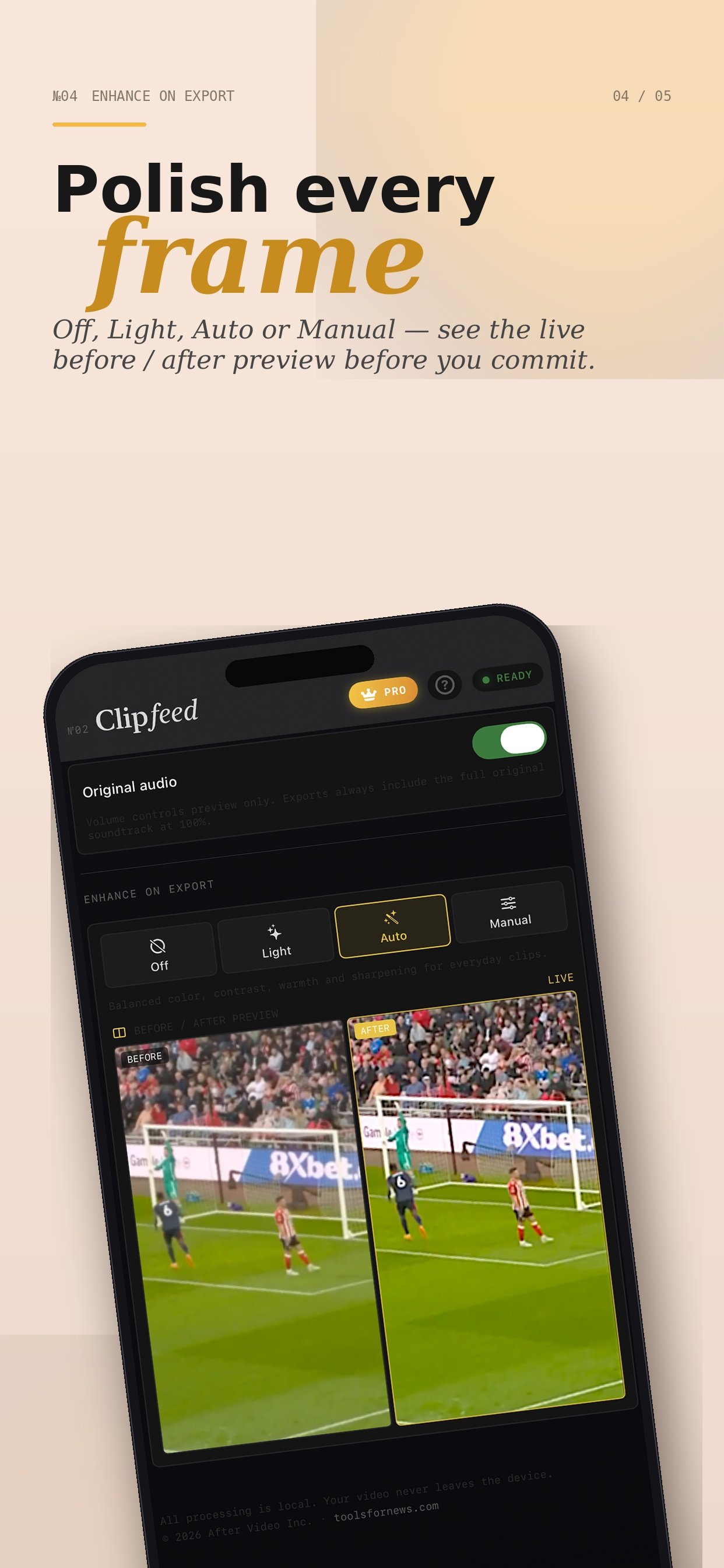
№04 · Enhance on export

Polish every frame.

Off, Light, Auto, or Manual. See the live before/after preview before you commit. Original audio stays untouched. Color, contrast, warmth, sharpness — every choice, no surprises.

  • Live before / after preview
  • Off · Light · Auto · Manual
  • Original audio always preserved
Enhance on export — Off, Light, Auto, Manual modes with live before/after preview
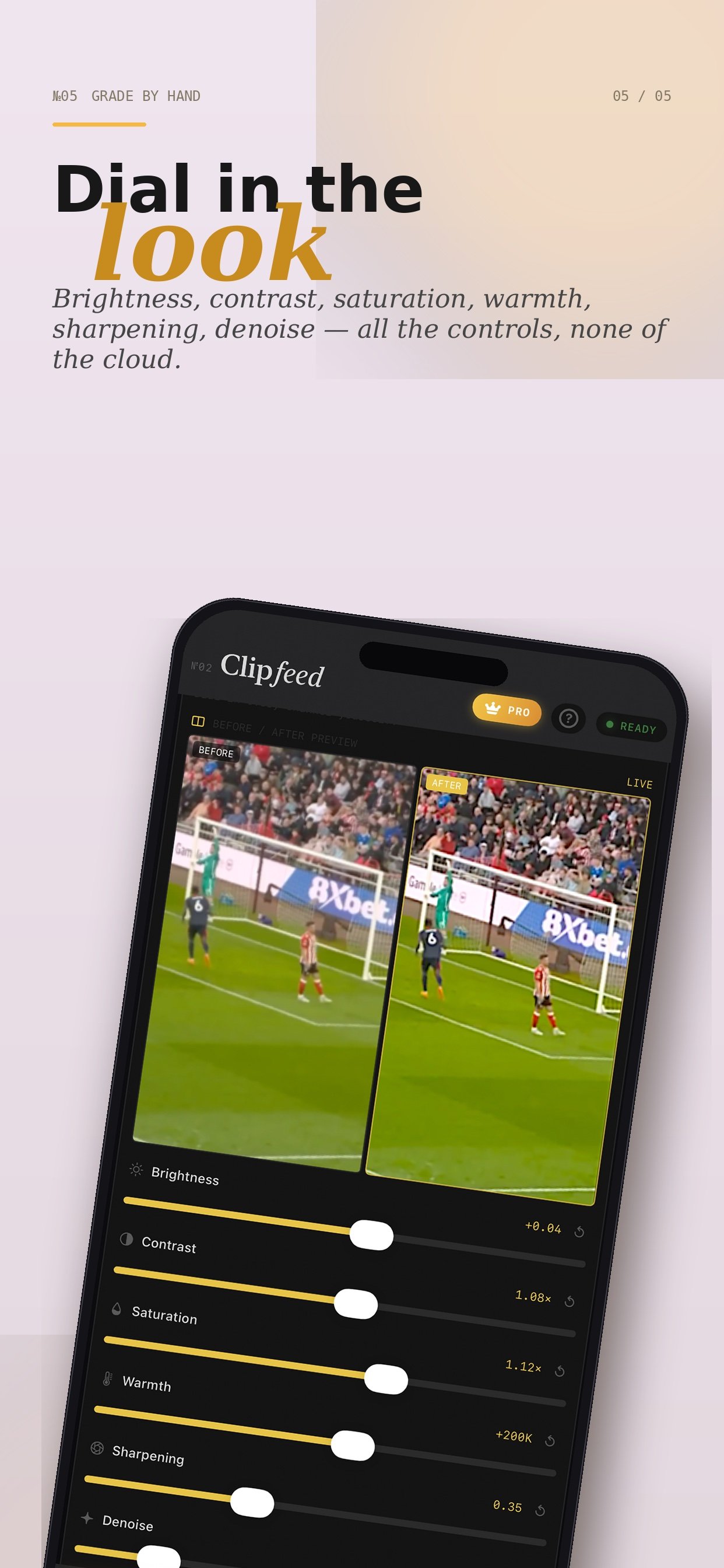
№05 · Grade by hand

Dial in the look.

Brightness, contrast, saturation, warmth, sharpening, denoise. All the controls, none of the cloud. Adjust, preview live, export.

  • Brightness · contrast · saturation
  • Warmth · sharpening · denoise
  • Live before / after split-view
Manual grading — brightness, contrast, saturation, warmth, sharpening, denoise